

J74 MIDI Assistant - A MIDI Clipboard for AI workflows in Ableton Live

The J74 MIDI Assistant is a simple but powerful MIDI clipboard utility. It offers "copy & paste" capabilities for MIDI clips (to and from a JSON format), ideal for AI workflows involving a web AI tool. With this tool you can exchange MIDI data with any web AI tool (the likes of ChatGPT, Gemini, Claude, Co-Pilot, etc.) and use this data for MIDI AI prompt requests and prompt results.
The plugin allows you to generate MIDI data with an AI tool and then paste that directly as a MIDI clip. It also allows manipulation of MIDI data by an AI, from MIDI clips you already have in your project. Let AI analyze it, modify it or even arrange a new MIDI part based on it. The tool is plug and play. No software integration is required.
The J74 MIDI Assistant Max for Live pack can be purchased at 12 EURO.
The plugin allows you to generate MIDI data with an AI tool and then paste that directly as a MIDI clip. It also allows manipulation of MIDI data by an AI, from MIDI clips you already have in your project. Let AI analyze it, modify it or even arrange a new MIDI part based on it. The tool is plug and play. No software integration is required.
The J74 MIDI Assistant Max for Live pack can be purchased at 12 EURO.
J74 Assistant Developers Tools + J74 MIDI Assistant: an environment for AI integration with Ableton Live

The J74 Assistant Developers Tools + J74 MIDI Assistant provide an environment for AI integration with Ableton Live.
The J74 Assistant Developers Tools is a bridging environment with a deep level of AI integration. It allows a "local-coding-enabled" AI tool (such as Google's Antigravity, Gemini CLI or other functionally equivalent tools) to directly co-work on MIDI clips, audio (warp markers), mixer and device snapshots. The AI can perform the role of Ableton Live assistant straight away, based on the producer's intent expressed in natural language. The toolset can also be used for automation purposes.
+
The J74 MIDI Assistant is a simple but powerful MIDI clipboard utility plugin. It offers "copy & paste" capabilities for MIDI clips (to and from a JSON format), ideal for AI workflows involving a web AI tool. The tool is plug and play. No software integration is required.
The J74 Assistant Developers Tools + J74 MIDI Assistant Max for Live packages can be purchased together at 24 EURO.
The J74 Assistant Developers Tools is a bridging environment with a deep level of AI integration. It allows a "local-coding-enabled" AI tool (such as Google's Antigravity, Gemini CLI or other functionally equivalent tools) to directly co-work on MIDI clips, audio (warp markers), mixer and device snapshots. The AI can perform the role of Ableton Live assistant straight away, based on the producer's intent expressed in natural language. The toolset can also be used for automation purposes.
The J74 Assistant Developers Tools + J74 MIDI Assistant Max for Live packages can be purchased together at 24 EURO.
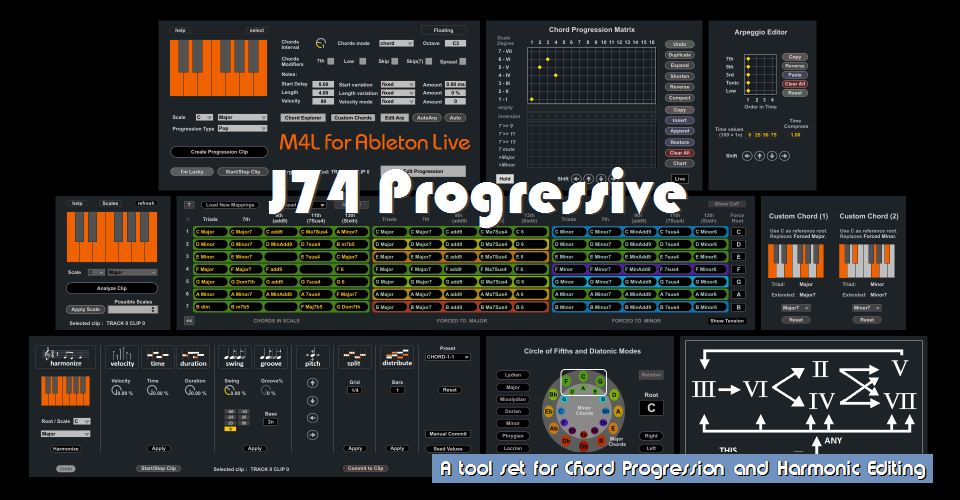
J74 Progressive - A Max for Live tool set for Chord Progression and Harmonic Editing in Ableton Live
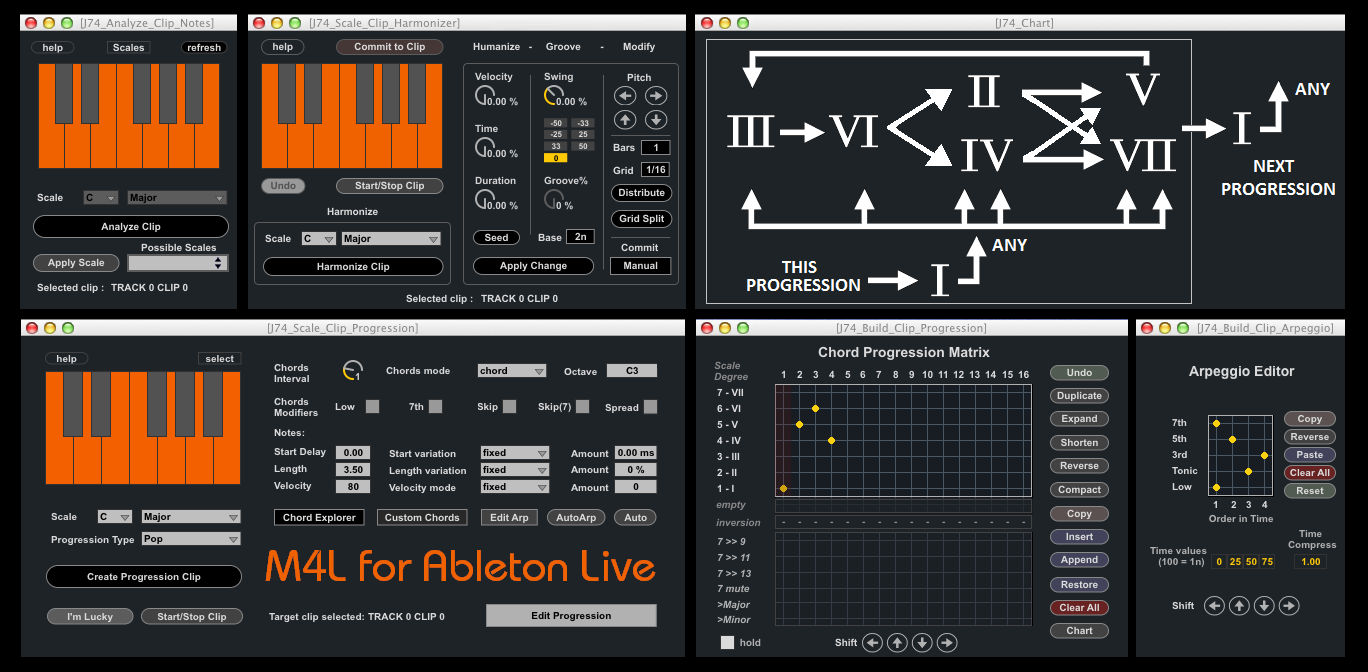
J74 Progressive is a set of Max for Live tools for chord progression making and harmonic editing in Ableton Live. Progressive allows you to create and edit chord progressions as MIDI clips or real-time MIDI, making use of composition techniques modelling (such as diatonic scale and chords exploration methods) as well as performance styles (arpeggio, humanized timing and dynamics). Besides the chord progression generator/editor, Progressive also includes tools for scale and chord detection in any MIDI and Audio material and for MIDI clip processing (harmonization/scale based transposition and humanize dynamics).
The J74 Progressive Max for Live pack can be purchased at 18 EURO.
The J74 Progressive Max for Live pack can be purchased at 18 EURO.
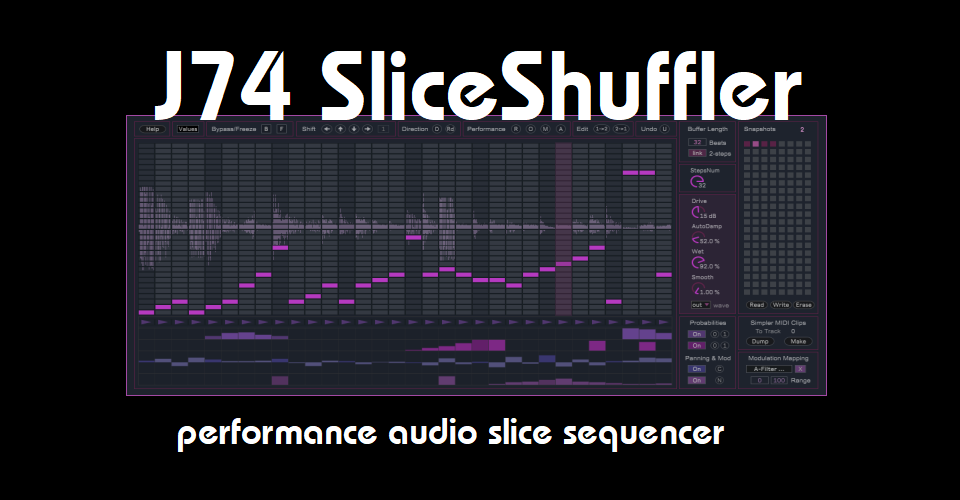
J74 SliceShuffler - An audio slice sequencer for Ableton Live (Max for Live)
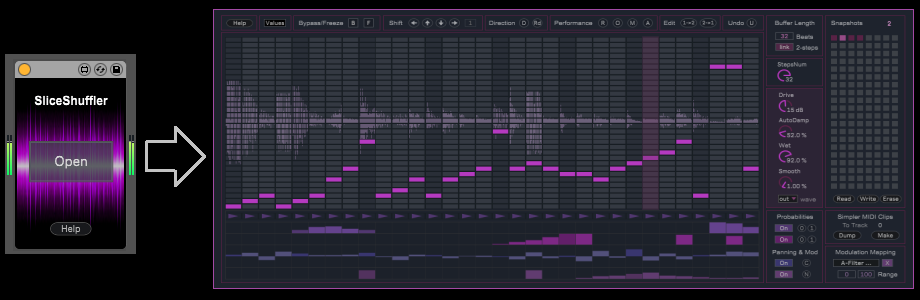
J74 SliceShuffler is an audio slice sequencer. Operating as an audio effect for Ableton Live (Max for Live), the plug-in works by buffering incoming audio and allows you free slice resequencing and manipulation of the audio phrase. Made with rhythmic material in mind, it can also be used to add a rhythmic feel on anything else too. Above all, SliceShuffler is made for real-time performance: manipulate, mix the snapshots, randomize and do anything you like: changes are hitless and instantaneous. With a performance-friendly [undo] function which let's you revert to a known state, when you wish to.
The J74 SliceShuffler device can be purchased at 14 EURO.
The J74 SliceShuffler device can be purchased at 14 EURO.
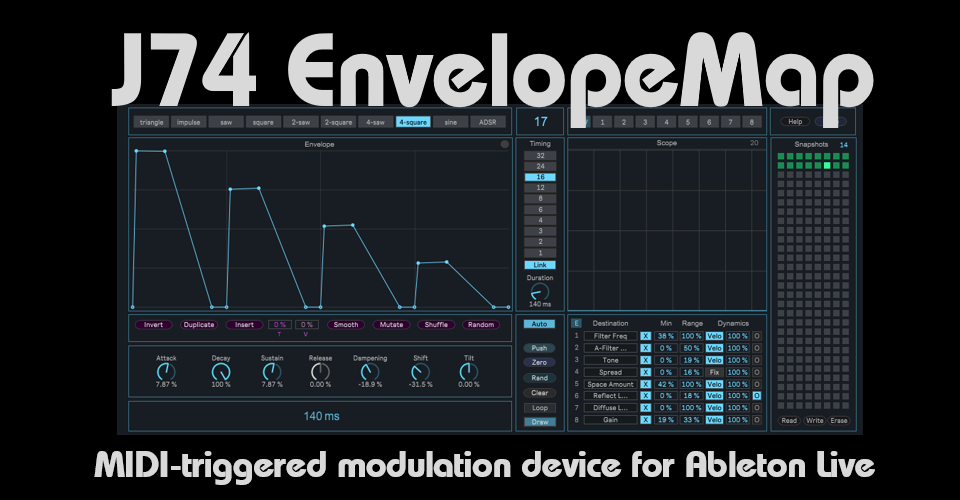
J74 EnvelopeMap - A customizable MIDI modulation envelope for Ableton Live
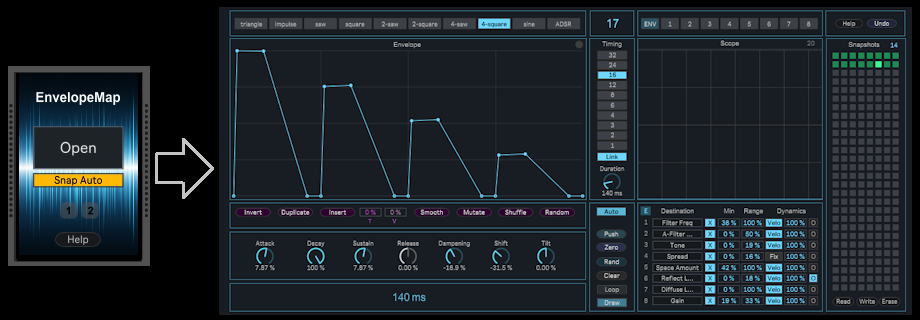
J74 EnvelopeMap is a MIDI-triggered modulation device based on the use of a customizable envelope. The plug-in uses input MIDI notes as trigger for its envelope. The envelope is then used for parameter modulation, on anything which can be modulated in Ableton Live. Up to eight different destinations can be modulated, each one with its own customizable controls. The way the envelope is constructed, timed and customized makes musical and rhythmical results possible.
The J74 EnvelopeMap device can be purchased at 12 EURO.
The J74 EnvelopeMap device can be purchased at 12 EURO.
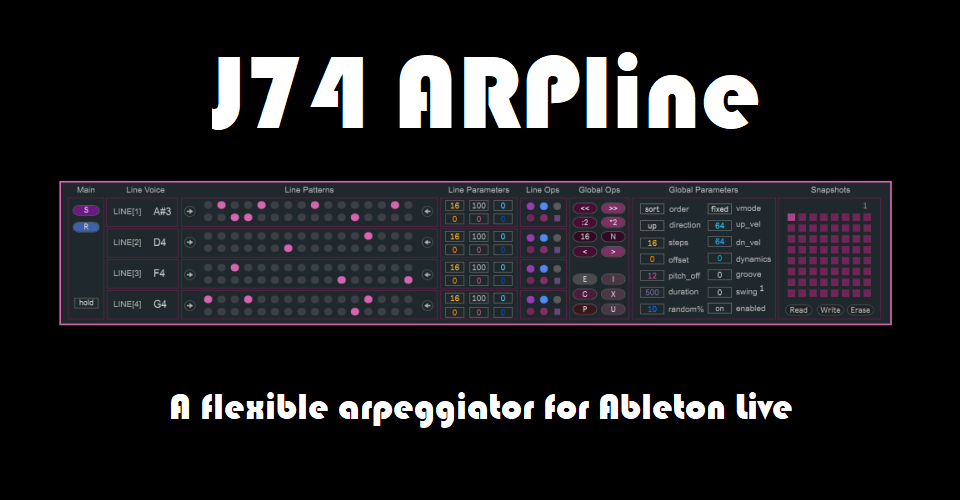
J74 ARPline - A flexible arpeggiator for Ableton Live (Max for Live)
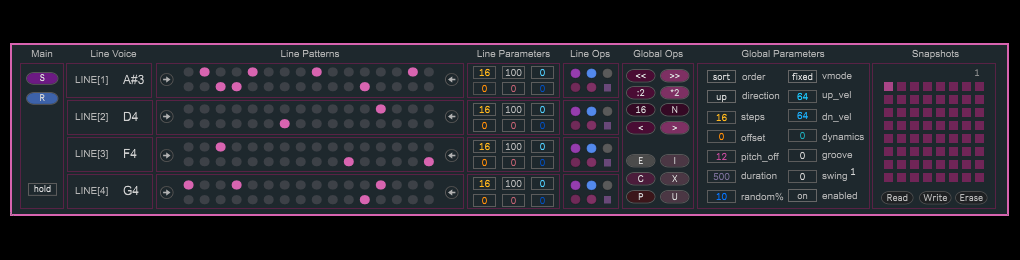
J74 ARPline is an arpeggiator plugin for Ableton Live (Max for Live). With a lot of flexibility. At its heart it is composed of four independent lines, each one capable of the same features. A line is a programmable pattern for triggers and has its own controls for step number, step offset, playback direction, speed, signature, probability and more. When settings are combined across the lines, these features allow you to create complex poly-metric and/or poly-rhythmic arpeggio's.
The J74 ARPLine device can be purchased at 14 EURO.
The J74 ARPLine device can be purchased at 14 EURO.
J74 BassLine - Editor and Sequencer for BassLine Progressions (Max for Live / Ableton Live)
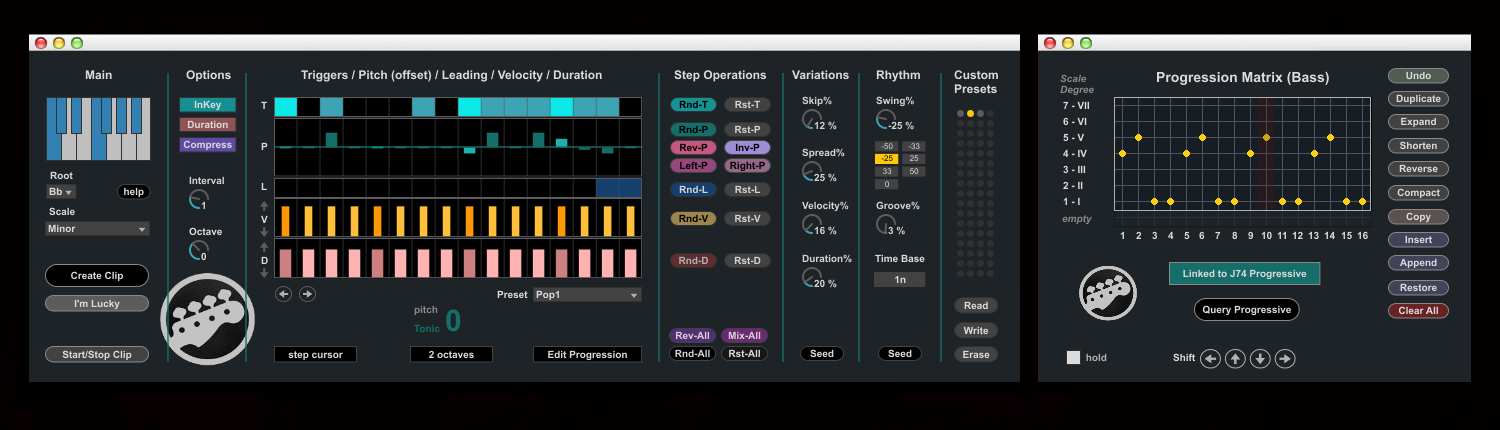
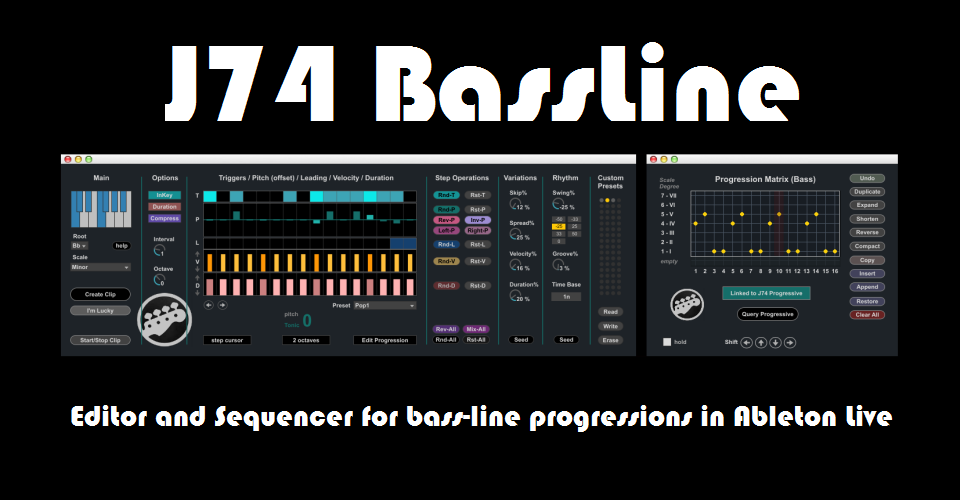
J74 BassLine is a plug-in for Ableton Live (Max for Live) specialized in bass line progressions. The idea behind the device is to have a single tool combining both rhythm and harmony together. J74 BassLine offers sequencing features such as groove, swing, legato, glide, accent, humanize dynamics as well as harmonic knowledge of scales, chords and progressions. The bass-lines get automatically adapted to the chosen progression, on a chord by chord basis, remaining in-key to the selected scale (if you wish to). J74 BassLine can be also combined and synchronized with J74 Progressive for an integrated harmonic and rhythmic sketching environment in Ableton Live.
The J74 BassLine device can be purchased at 12 EURO.
The J74 BassLine device can be purchased at 12 EURO.
J74 StepSequencer64 & J74 PatDrummer - Ableton Live / Max for Live devices for creative beat programming and improvisation
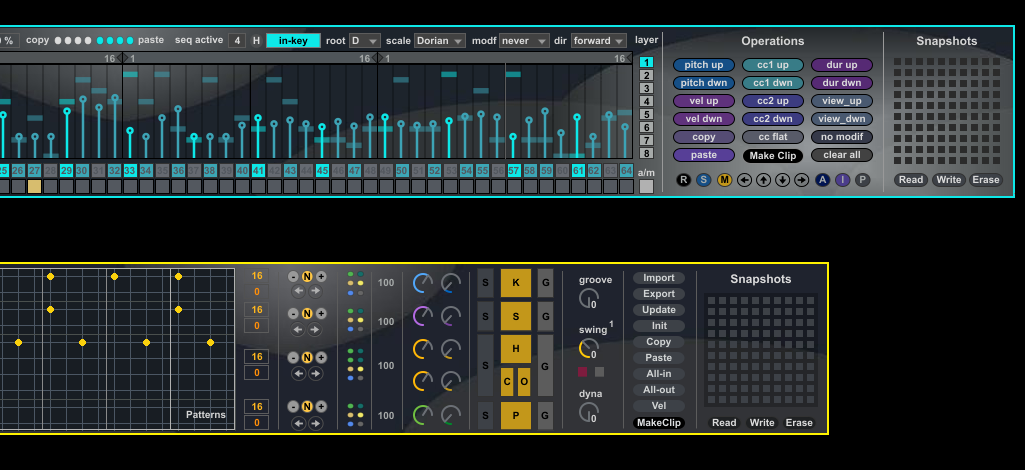
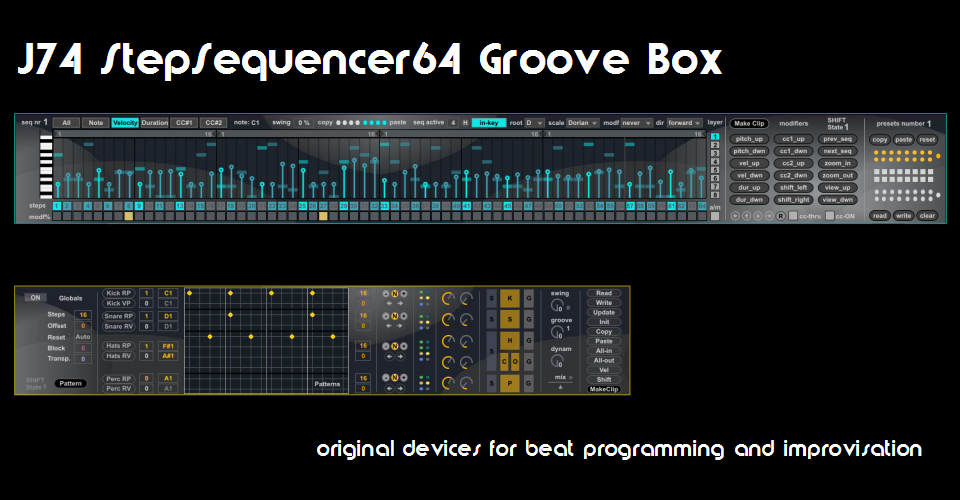
J74 StepSequencer64 & J74 PatDrummer plugin set is a collection of Ableton Live (Max for Live) devices for creative beat programming and improvisation. It features a powerful 64-step sequencer and a programmable drum pattern machine. The package includes both J74 StepSequencer64 and J74 PatDrummer Ableton Live plugins.
The J74 StepSequencer64 & J74 PatDrummer package can be purchased at 16 EURO.
The J74 StepSequencer64 & J74 PatDrummer package can be purchased at 16 EURO.
J74 Venus6 - Poly-Multi Synthesizer for Ableton Live (Max for Live)
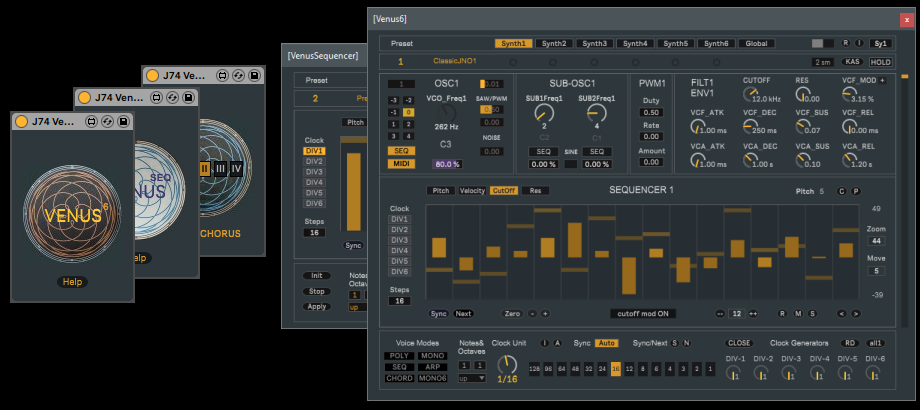
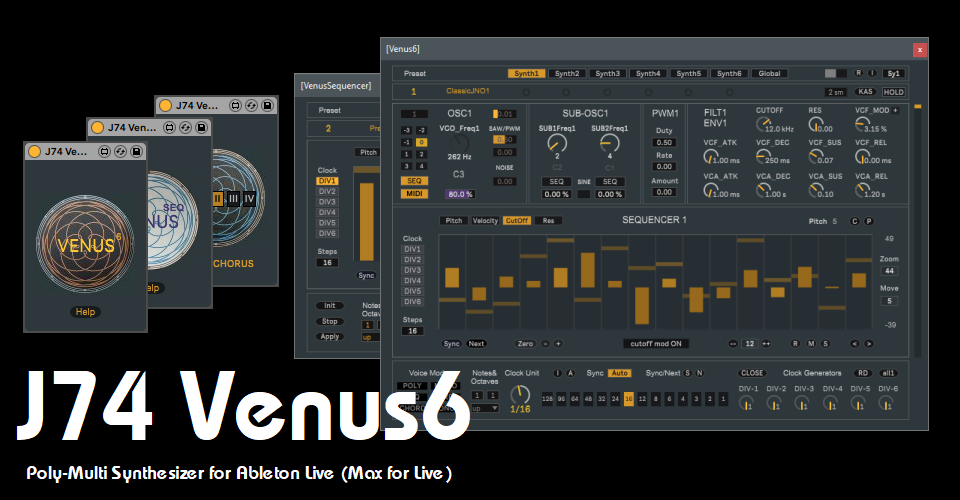
J74 Venus6 is a six voice Poly-Multi Synthesizer for Ableton Live (Max for Live). Venus6 has been built echoing the behaviour of DCO synthesizer's of the 80's: its six (virtual) voice boards have been created with slight tolerance differences and coupled with a voice allocation system which enhances this dynamics. The internal sequencer of Venus6 (and of its MIDI companion VenusSEQ, also part of the pack) is capable of poly-rhythmic and poly-metric sequencing. Venus6 has an internal chorus, which also echoes the chorus implementations of the same era. The same chorus is also provided as a separate audio effect (VenusChorus), also part of the same pack.
The J74 Venus6 Max for Live pack can be purchased at 18 EURO.
The J74 Venus6 Max for Live pack can be purchased at 18 EURO.
J74 PitchControl - A Max for Live tool set for Real-Time Pitch Performance and Control in Ableton Live
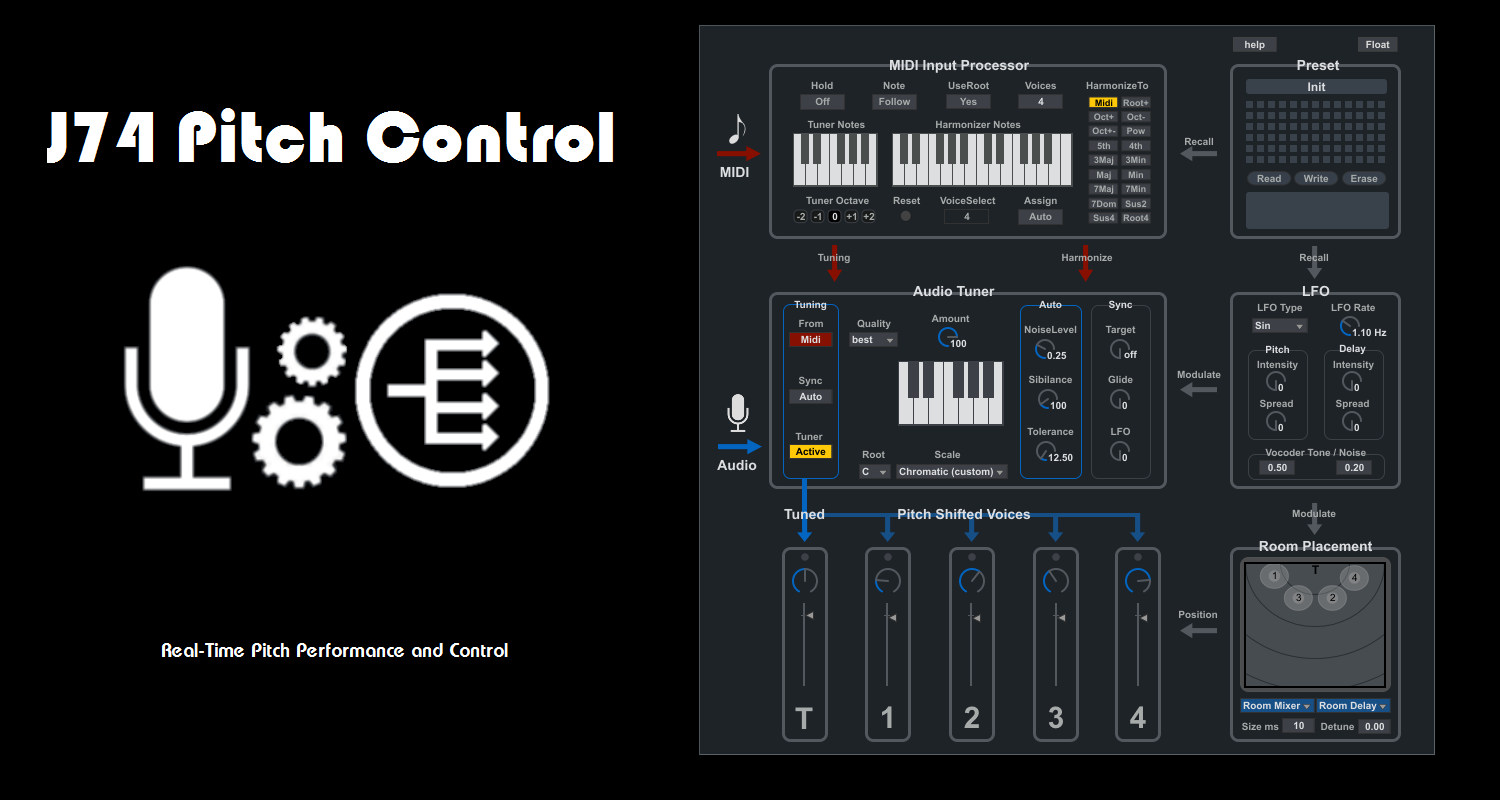
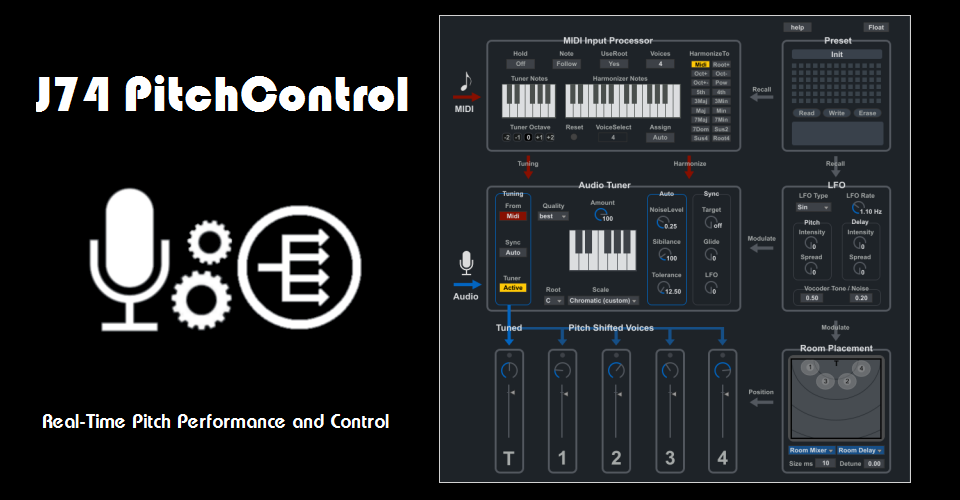
J74 PitchControl is a Max for Live tool for real-time synthetic pitch treatment and harmonization. It allows you to manipulate an input signal through pitch-processing stages such as tuning, re-pitching, vocoding, space placement, LFO modulation and to harmonize it up to four voices all in real time and controlled by MIDI. J74 PitchControl has been made primarily with the human voice in mind, although it can be used with anything else. While the tool can be used as a classic auto-tuning effect, its main goal is to do pitch manipulation and harmonization via MIDI control: you can indeed play the device in real-time (improvising with a MIDI keyboard or controller) or sequence it upfront (using Live MIDI), controlling tuning, harmonization and vocoding, all at the same time.
The J74 PitchControl device set can be purchased at 15 EURO.
The J74 PitchControl device set can be purchased at 15 EURO.
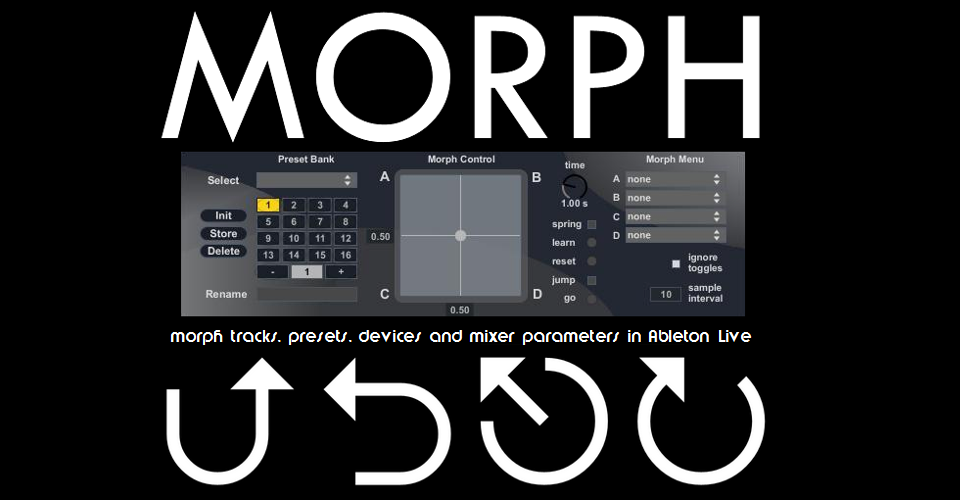
J74 Morph - morph tracks, presets, devices and mixer parameters in Ableton Live (Max for Live)
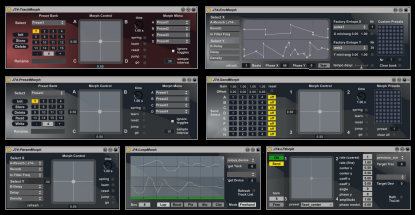
J74 Morph is a set of Max for Live (Ableton Live) devices which allows you to morph (interpolate values) across shapshots of track device and settings, mixer sends and device parameters. The full Morph set includes also some eccentric tool for animating and modulating a Liveset, such as a 2-dimensional geometric LFO, an XY envelope looper, an LFO and envelope generator and support for XY-control performed from HID/USB devices (such as gamepads, joysticks or gloves). J74 Morph devices can be loaded in any track (appearing to Live as transparent audio effects). As long as device parameters can be automated in Ableton Live, they can be interpolated by Morph devices (with rack interpolation limited to macro levels).
The full J74 Morph device set can be purchased at 10 EURO.
The full J74 Morph device set can be purchased at 10 EURO.
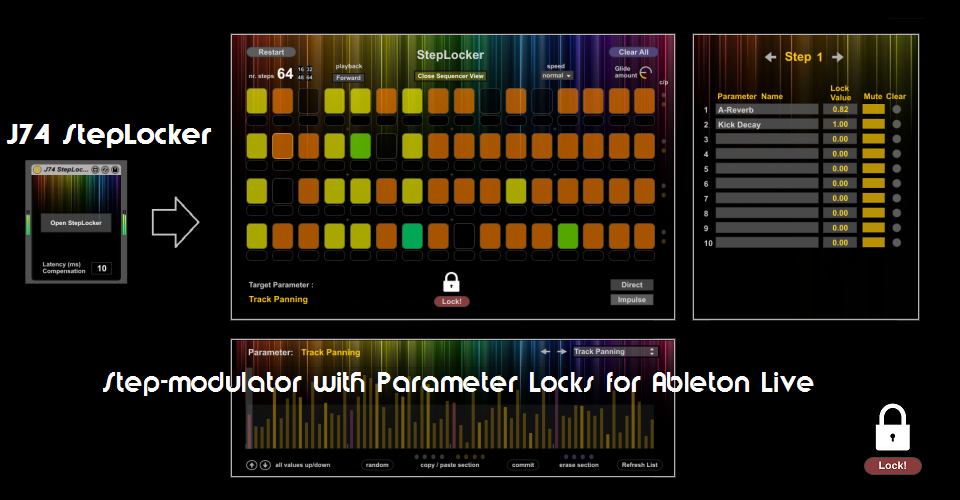
J74 StepLocker - Step-modulator with Parameter Locks for Ableton Live (Max for Live)
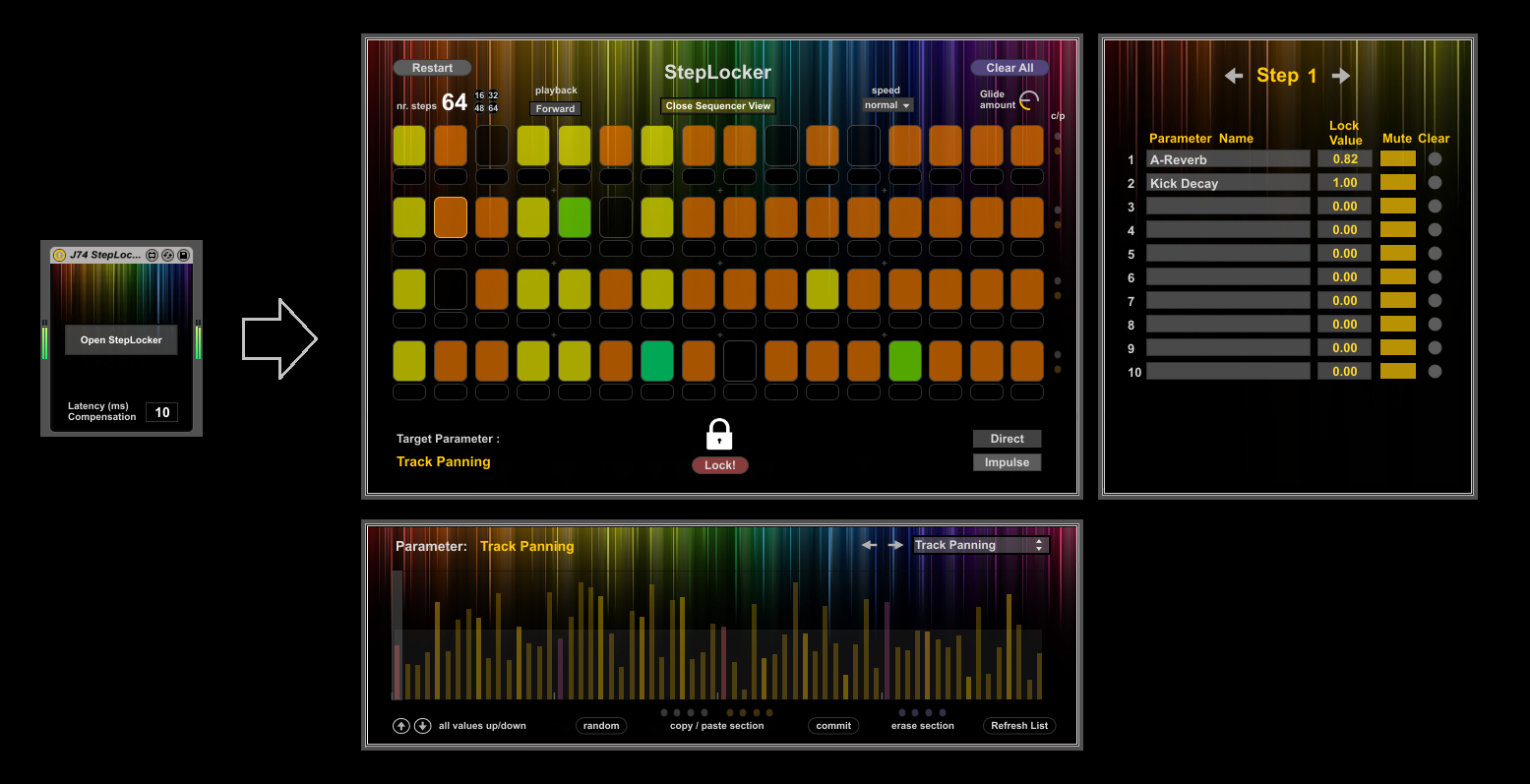
J74 StepLocker is a sequencing and modulation device for Ableton Live (Max for Live) based on the concept of parameter locking, whereby parameter settings can be associated with each sequencer step. The work-flow in StepLocker is very simple: choose one or more steps in the sequencer, select a parameter in Ableton Live, set its value and lock it. You can do this for any parameter, in any device, in any track of Live. On top of this StepLocker offers also classic step sequencer features such as playback manipulation (step numbers, random step order), value interpolation, randomization and (post-locking) editing (copy, paste, erase).
The J74 StepLocker package can be purchased for 12 EURO .
The J74 StepLocker package can be purchased for 12 EURO .
J74 MaxForLive Harmony Bundle: J74 Progressive + J74 BassLine + J74 ARPline
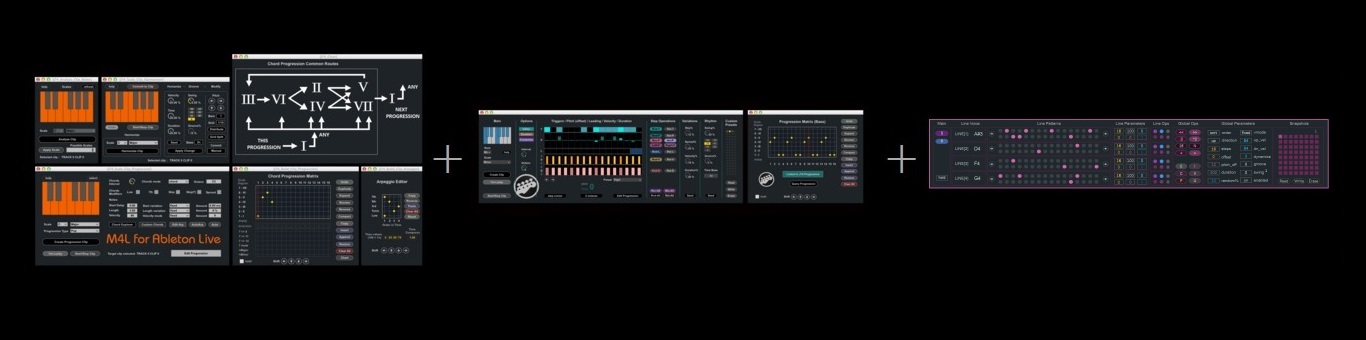
J74 MaxForLive Harmony Bundle is a bundle for Ableton Live (Max for Live) and contains the full versions of the J74 Progressive, J74 BassLine and J74 ARPline packages. This results in a discount of 25% compared to the separate individual purchases.
This bundle can be purchased at 32 EURO.
This bundle can be purchased at 32 EURO.
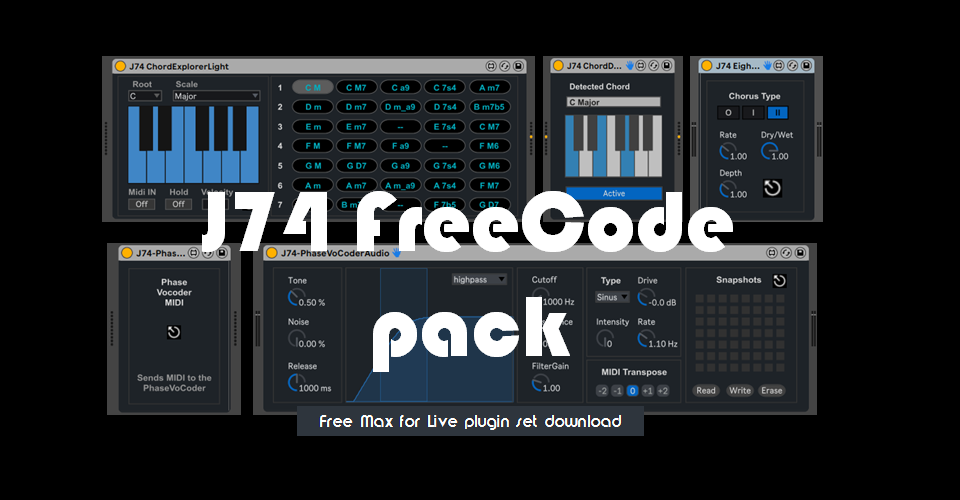
J74 FreeCode Pack (free) - A set of MIDI and Audio tools for Ableton Live
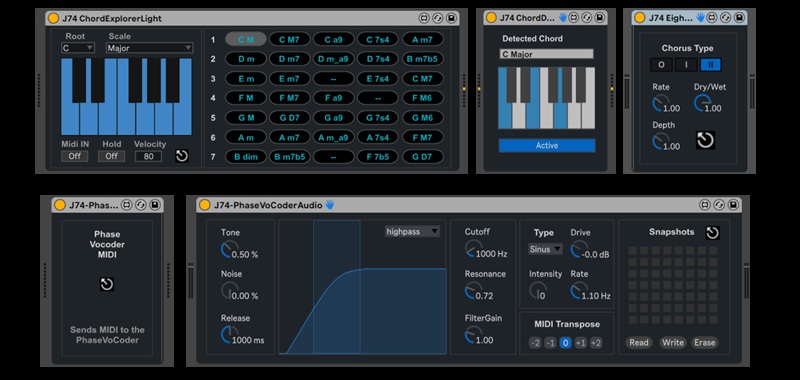
The J74 FreeCode pack is a set of MIDI and Audio devices with new and selected functions from the J74 repertoire. Among the tools it includes the ChordExplorerLight, a MIDI chord generator which can be controlled and sequenced by MIDI input, the PhaseVoCoder, an eight voice phase vocoder with built in filter, LFO/spread and Drive and the Eighty-Four-Chorus a stereo chorus effect inspired by the ones used on 80s synthesizers.
The J74 FreeCode pack is available as a free download.

If your download does not start by clicking, please right-click on the link and choose "save link as..."
If you like to sustain J74 activities, please make a donation using the Paypal button below.
The J74 FreeCode pack is available as a free download.
If your download does not start by clicking, please right-click on the link and choose "save link as..."
If you like to sustain J74 activities, please make a donation using the Paypal button below.
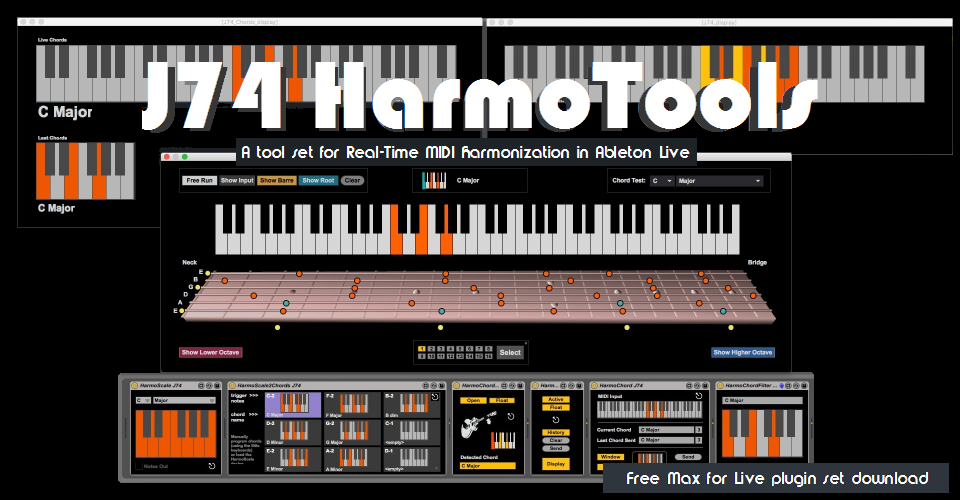
J74 HarmoTools (free) - A tool set for Real-Time MIDI harmonization in Ableton Live (Max for Live)
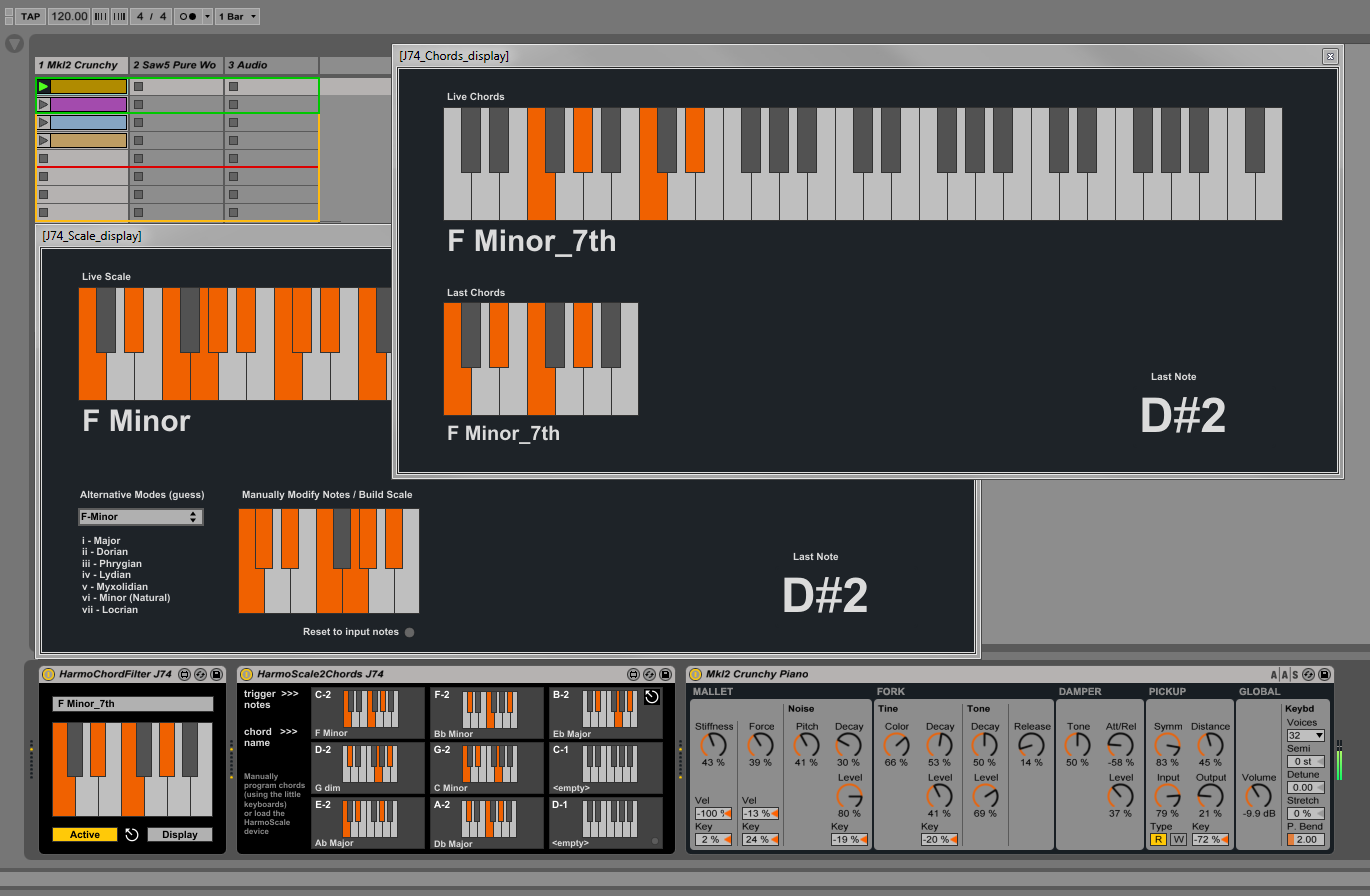
J74 HarmoTools is a set of devices for Real-Time MIDI harmonization in Ableton Live. The plugins detect chords and scales and can be used to adapt in real-time MIDI data to the harmonic context of your liveset, eventually in collaboration with other musicians using a TCP/IP network.
J74 HarmoTools is available as a free download.
If your download does not start by clicking, please right-click on the link and choose "save link as..."
If you like to sustain J74 activities, make a donation using the Paypal button below.
J74 HarmoTools is available as a free download.
If your download does not start by clicking, please right-click on the link and choose "save link as..."
If you like to sustain J74 activities, make a donation using the Paypal button below.
J74 OperatorKits (free) - A collection of drum racks made with Ableton Live Operator synthesizer

The J74 OperatorKits free live pack is a collection of 20 drum racks made exclusively with Ableton Live Operator FM synthesizer. No samples whatsoever, just pure drum synthesis.
J74 OperatorKits is available as a free download.
If your download does not start by clicking, please right-click on the link and choose "save link as..."
If you like to sustain J74 activities, make a donation using the Paypal button below.
J74 OperatorKits is available as a free download.
If your download does not start by clicking, please right-click on the link and choose "save link as..."
If you like to sustain J74 activities, make a donation using the Paypal button below.
J74 VT4Control (free) - Ableton Live/Max for Live editor and control surface for the Roland VT-4 Voice Transformer
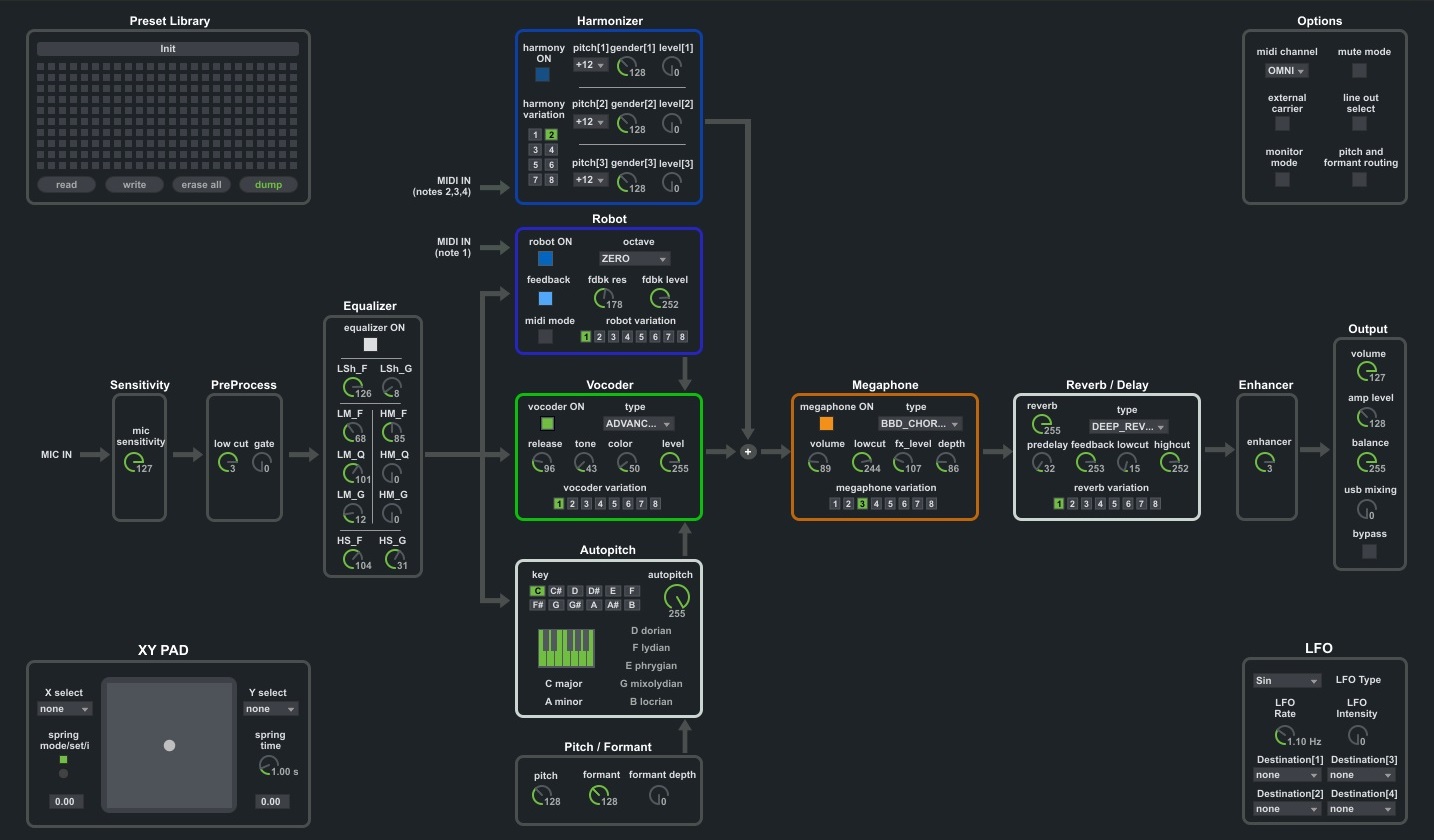
The J74 VT4Control is a free Ableton Live/Max for Live editor and control surface for the Roland VT-4 Voice Transformer. It unlocks the MIDI functionalities under the hood of the VT-4, making each processing stage on the unit customizable (about 40 parameters are configurable).
J74 VT4Control is available as a free download.
If your download does not start by clicking, please right-click on the link and choose "save link as..."
If you like to sustain J74 activities, make a donation using the Paypal button below.
J74 VT4Control is available as a free download.
If your download does not start by clicking, please right-click on the link and choose "save link as..."
If you like to sustain J74 activities, make a donation using the Paypal button below.
J74 VenomControl (free) - Ableton Live / Max for Live editor and control surface for the M-Audio Venom synth

Suite of Max for Live plugins for integration and control of the M-Audio Venom synthesizer within Ableton Live (Venom single patch mode).
J74 VenomControl is available as a free download.
If your download does not start by clicking, please right-click on the link and choose "save link as..."
If you like to sustain J74 activities, make a donation using the Paypal button below.
J74 VenomControl is available as a free download.
If your download does not start by clicking, please right-click on the link and choose "save link as..."
If you like to sustain J74 activities, make a donation using the Paypal button below.